Protect the Border Known Script Tools
Title-specific GUIs exist. We will describe them. We will not paste them.
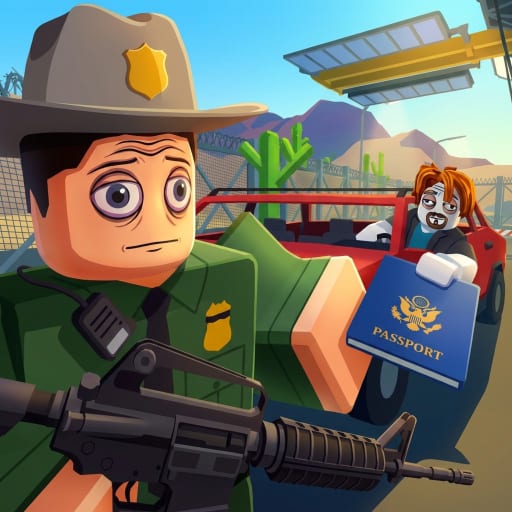
As of mid-August 2026, catalogs under the exact title Protect the Border are no longer empty. GUI tools aimed at this checkpoint now circulate: auto-inspect kits for the ID-face-trunk loop, and combat kits for the night raid. This page records what those tools claim to do so you can recognize a pitch. It does not host loadstrings, key pages, or executor names.
Unauthorized executors still break Roblox Terms of Service. Read script safety first. If you wanted gold, read how to earn cash. If you wanted a legal extra rifle, read gamepass value.
What “title-specific” means here
A tool counts for this wiki only if it names this experience — Protect the Border [BETA] by The Evil Mafia, place 104589921852670 — and talks about this booth: IDs, trunks, cuffs, cells, night NPCs. A San Diego street bot, a Secure the Border x-ray macro, or an El Paso team menu is the wrong game, even if the thumbnail steals this title.
We will not name dump sites. Naming them is how readers click the first malware result. Feature lists below are compiled from public catalog blurbs dated around 16 August 2026. Features change. Assume any GUI you find tomorrow has extra buttons we have not seen.
Family A — auto-inspect / checkpoint GUIs
These advertise a booth bot:
- Auto take ID and portrait compare with a tolerance slider
- Auto search vehicle / cargo scan
- Auto pass or pull over
- Wanted-poster matcher
- Auto cuff, auto cell, teleport-to-suspect
- Contraband ESP and a verdict readout
- Step delay and a “strict mode” so the bot looks less like a machine
That list maps onto real booth verbs from how to check IDs, how to search trunks, and how to process suspects. Mapping onto verbs does not make the tool safe. A human four-stack that knows those pages does not need a hidden GUI to feel fast. A bot that teleports between bumper and cell is exactly the pattern server-side detection likes.
Several of these kits advertise keyless status. A missing key is not a missing ban. The key is a paywall. The risk is the injector.
Family B — combat / night GUIs
These advertise a raid bot:
- Silent aim, aim assist, FOV and smoothness sliders
- Bad-NPC ESP and contraband ESP
- No recoil, no spread, no reload, rapid fire, forced automatic
- Kill aura / headshot mode on some kits
- Fullbright and anti-AFK
- Menu toggles (often a right-shift style overlay)
Night in this BETA is still a shooter. Survive the night is the legal version of “see the NPC, fire, reload.” A silent-aim overlay will hold a lane until it does not, and then the account is the wipe. Endless Mode makes later nights longer, which makes a bot more obvious, not less.
Some combat kits say they work in both a lobby place and the border place. Confirm you are still on 104589921852670 before you assume a menu is talking about this booth.
Family C — mixed “do everything” kits
A third pitch glues Family A and Family B together: auto process plus kill aura plus quota display. Those pages often recycle feature lists from other law-enforcement games. Treat a kit that mentions aircraft support or a dog-vs-police workflow as probably copy-paste, not as proof this BETA grew planes overnight.
What we will never publish
- A loadstring, a GitHub raw URL, or a “paste this” block
- An executor recommendation
- A promise that any GUI is undetectable or “safe on your main”
- A request for your password, cookie, or backup codes to “activate” a menu
- A file download hosted on this wiki
When a catalog row is clearly for this place, we update the table on the Scripts Hub. We still will not paste the payload. Description is the service. Execution is how accounts disappear.
Scam pattern that arrived with the tools
The same week the catalogs filled, so did phishing. “Free key” pages that clone the Roblox login. Discord DMs that want .ROBLOSECURITY. YouTube comments with invite shorteners. If a page cannot name The Evil Mafia or this place ID, close it. If it wants you to disable Windows Defender, close it. If it shows a different checkpoint, it is a different game. Those three checks are on the safety page for a reason.
Codes did not arrive with the scripts. The Codes Hub is still empty of verified strings. Anyone selling “update codes plus a GUI” is selling two scams.
Play the booth instead
Assign jobs with party roles. Walk the checkpoint layout. Hold Endless with magazines and angles. That stack is slower than a teleport-to-suspect button and it still exists after a ban wave.
If you already ran something, change the Roblox password on roblox.com, enable 2FA, review sessions, and uninstall the injector. Do not “clean” the PC with a second file from the same Discord. Then come back to this page only to remember why the table has a warning column.
Until Roblox ships an official inspector tool — they have not — every GUI in the table below is unofficial, against the rules, and optional. The booth is not.
Frequently Asked Questions
Quick answers officers ask after every shift.
Are there working Protect the Border scripts now?
Title-specific GUIs circulate as of mid-August 2026. We describe families of features. We do not host them. They still break ToS.
Will you paste a loadstring?
No. Description without a payload is the policy. See script safety.
Is a keyless GUI safer?
No. The key is a paywall. The ban risk is the executor.
Can I use a San Diego Border script here?
No. Wrong place, wrong UI, wrong ban story.
Did scripts add official codes?
No. The Codes Hub is still empty. Anyone bundling codes with a GUI is scamming.
What should I do if I already ran one?
Change your Roblox password, enable 2FA, review sessions, uninstall the injector. Do not download a second cleaner from the same chat.