Protect the Border Controls
Same booth, four input styles. Bind the job, not the highlight reel.
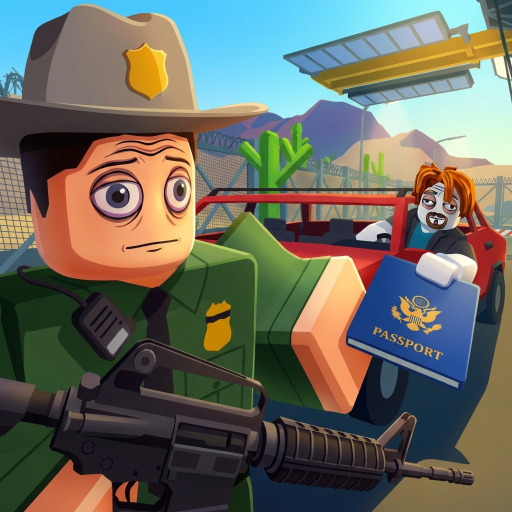
Protect the Border lists PC, mobile, tablet, and console on the storefront. The loop does not change. The fingers do. This page is the how-to-play layer for inputs. Pair it with Getting Started so you are not learning cuffs during a raid.
Roblox still owns the escape menu, camera invert, and experience volume. Anything below assumes you can already walk. If a teammate cannot move, fix Roblox settings first, not this wiki.
PC
Typical Roblox shooter-sim layout:
- WASD move, mouse look
- E or the on-screen prompt to take an ID, open a trunk, or use a locker
- Left click fire once you have a weapon out
- R reload
- F or the prompt to cuff when the BETA shows the interaction
- 1–3 or the weapon wheel for rifle, sidearm, and utility
- Shift sprint only when you are not lined up on a portrait
Do not sprint into the window. The extra shake is how you miss a face. Crouch if the trunk camera clips. Rebind only after one clean day so you know which prompt is the game and which is muscle memory from another title.
Mobile and tablet
Touch is the hardest way to inspect. Before the first car:
- Lower graphics until the portrait is sharp.
- Enable shift lock or an equivalent look-assist if your build offers it.
- Move the jump button so it is not where you tap to search.
- Practice pinch-zoom on a parked vehicle, not on a moving raid.
Tap the prompt, do not swipe through it. A swipe is how you accidentally fire in the booth. If cuffs are a small icon, enlarge UI scale in Roblox settings. The inspection checklist is useful on a second device so you are not reading this page in the lane.
Tablets have an advantage: more screen for faces. Use it. Sit the tablet on a stand if you play long Endless sessions. Thumbs tire, and tired thumbs wave forgeries.
Console
Controller players should:
- Drop look sensitivity until portraits are readable
- Map interact to a bumper you will not confuse with fire
- Use the on-screen keyboard slowly if a future code box appears
- Turn off vibration if it shakes the camera during a search
Aim assist helps at night and lies at the window. For IDs, stop aiming and just look. For raids, read night survival and pick a lane that does not require flick shots.
Shared rules across devices
- Interact is more important than fire during the day
- Reload before sunset, not during the first scream
- One processor per car so two people do not press cuff and bribe together — see suspect processing
- If the HUD hides a button, open the Roblox menu, then return; BETA UI still shifts
Party voice and text
Keyboard players can type calls. Mobile players should use voice or very short taps. Agree on the four words from the trunk guide: opening, legal, illegal, hostile. Long paragraphs in chat are how a second car arrives unseen.
Accessibility
If color or motion makes portraits hard, raise brightness and cut effects. This wiki will not invent a color-blind mode the BETA does not document. Play at a distance you can actually see. A correct face from two meters beats a stylish camera from the roof.
When your device can take an ID, open a trunk, cuff, and reload without opening this page, you are done. Go back to how to check IDs and run the loop at the speed your hands can honestly support. The booth does not grade your platform. It grades your order.
Frequently Asked Questions
Quick answers officers ask after every shift.
What is the interact key on PC?
Usually E or the on-screen prompt. Confirm in your first locker visit; BETA prompts can move.
Can I play the full game on mobile?
Yes. The storefront includes phones and tablets. Zoom for faces and keep fire away from the search button.
Does console have a redeem box?
Not in the current BETA. If one appears, use the on-screen keyboard and type slowly.
Why do I keep firing when I try to search?
Your search tap overlaps the fire control. Move HUD buttons or crouch before you open the trunk.